
© 2026 InterSystems Corporation. All rights reserved.Privacy & TermsGuaranteeSection 508Contest TermsCode of ConductModeration PolicyCookies Settings


SQLgateway-migration-Caché-IRIS 

Community Project
This project is maintained by its author and is not officially supported by InterSystems. For technical support, please contact the project developer.
This project is maintained by its author and is not officially supported by InterSystems. For technical support, please contact the project developer.
5
1 reviews
0
Awards
58
Views
0
IPM installs
 0
0 Add to bundle
Details
Releases (1)
Reviews (1)
Issues
SQLgateway importing from Caché to IRIS
What's new in this version
Initial Release
SQLgateway-operating-Caché-IRIS
Sample example to show how to communicate between InterSystems Caché and
InterSystems IRIS using SQLgateway in contrast to other types of linking.
Migration is the most attractive functionality in SQLgatway and it is easy to visualize.
But it also offers a broader range of non-permanent linking of databases.
e.g. centralized error tracking.
Warning
This is just JDBC/Java and IRIS with ISOS and SQL
- no AI, no Python, no other magic
Credits
Inspired by the previous packages provided by YURI MARX PEREIRA GOMES
this is a logical follower.
And the official documentation on SQLgateway
uncovers more useful features.
Prerequisites
Make sure you have git and Docker desktop installed.
In order to allow networking with Caché you need an appropriate license.
Caché works by default with a single user and no networks.
Add it and enable copy in cache/Dockerfile
Installation
Clone/git pull the repo into any local directory
git https://github.com/r-cemper/SQLgateway-migration-cache-IRIS.git
- Build
docker-compose build
- Run it in foreground. Sometimes container start is slower than estimated.
docker-compose up
- Wait for confirmation from your containers container: ready to accept connections
- The first pull for CACHE may take quite some time for the upload
-
Connection to CACHÈ:
- host: container cache
- database: SAMPLES
- port: 1972
- username: _SYSTEM
- password: SYS
- SMP: http://localhost:51772/csp/sys/UtilHome.csp
-
Connection to IRIS:
- host: localhost
- namespace: user
- port: 41773
- username: _SYSTEM
- password: SYS
-
SQLgateway
is installed during Docker build and the required
jdbcdriver for Linux is included in this repo
How to test
SMP is available here
http://localhost:42773/csp/sys/UtilHome.csp
All migration actions can be executed directly from SMP.
-
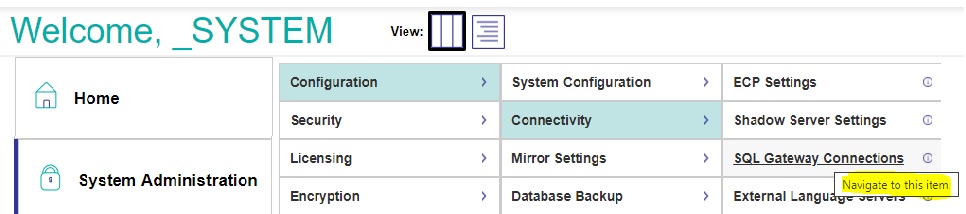
Verify the gateway connection in
SMP> Administration> Configuration> Connectivity> SqlGateway_Configuration
- To test Connection click edit for connection CACHE
- verify Connection successful
- Be patient at this point. Some DB containers take quite some time to talk to you.
wait a little bit, reload the page in browser and try the test again.
-
Identifying the source tables. In SMP > Change to Namespace USER
then step to SMP >Explorers >SQL >Wizards > Data Migration

-
Set required import parameters
- Destination Namespace = USER
- Type = TABLE
- Select a SQL Gateway connection: = CACHE ; now the first connection is established
- and you select Schema = SAMPLES
- Tables to migrate: The namespace has a lot of cross-referencing tables
I suggest loading the Samples.* package tables first
-
Identifying new targets is possible, but may cause conflicts in cross-references
This is one key to success:
Tables get listed alphabetically not by logical dependency or sequence.
This could cause errors. -
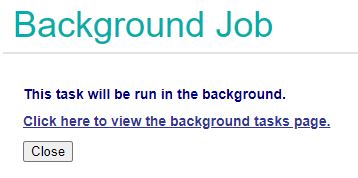
Skipping special settings, we use defaults to start the task in background
-
Now check the results and see if everything was working without Errors
You might see errors if tables depend on content not yet migrated.
And wait for completions until the status shows Done -
We terminate the Migration Wizard and return to the normal table view
All tables are visible and show meaningful columns and contents -
Selecting a table and clicking on OpenTable shows reasonable contents
-
A look into the related generated Class Definitions confirms the result and successful completion.
Last checked by moderator
08 Jul, 2026, Works
Made with
Version
1.0.007 Jul, 2026
Category
Technology ExampleWorks with
InterSystems IRISInterSystems IRIS for HealthCachéFirst published
07 Jul, 2026Last edited
13 Jul, 2026