
© 2026 InterSystems Corporation. All rights reserved.Privacy & TermsGuaranteeSection 508Contest Terms

IrisOASTestGen 

Community Project
This project is maintained by its author and is not officially supported by InterSystems. For technical support, please contact the project developer.
This project is maintained by its author and is not officially supported by InterSystems. For technical support, please contact the project developer.
5
1 reviews
2
Awards
475
Views
1
IPM installs
 0
0 Add to bundle
Details
Releases (4)
Reviews (1)
Awards (2)
Issues
Articles (2)
OpenAPI Specification (OAS) generator for Intersystems IRIS REST API client tests written in ObjectScript.
What's new in this version


🚀 IrisOASTestGen: Automated ObjectScript REST Test Generation
This tool is an OpenAPI Generator designed specifically for Intersystems IRIS. It ingests an OpenAPI Specification 2.0 (Swagger) document and automatically produces robust, maintainable, and executable ObjectScript code to validate your IRIS REST APIs.
You can use it via VSCode Extension (recommended) or manually via terminal.
🚧 Note: Some data types aren’t still fully covered, like List and File. Those will be added in the next releases.
Key Features:
- Specification-Driven Testing: Ensure your API implementation strictly adheres to the defined OAS contract.
- ObjectScript Native: Generates client-side testing classes ready to run directly within the IRIS environment.
- Rapid Development: Helps to accelerate the creation of integration and regression test suites for IRIS REST services.
- Comprehensive Coverage: Supports validation of endpoints, parameters, request bodies, and expected response schemas.
Target Audience: IRIS developers, QA engineers, and DevOps teams looking to integrate automated testing into their Intersystems IRIS ObjectScript projects.
💡 InterSystems Ideas Portal
This project was inspired by the idea Introduce generated unit tests for REST API calls generated by ^%REST vs Open API spec, originally proposed by Evgeny Shvarov.
🧩 VSCode Extension
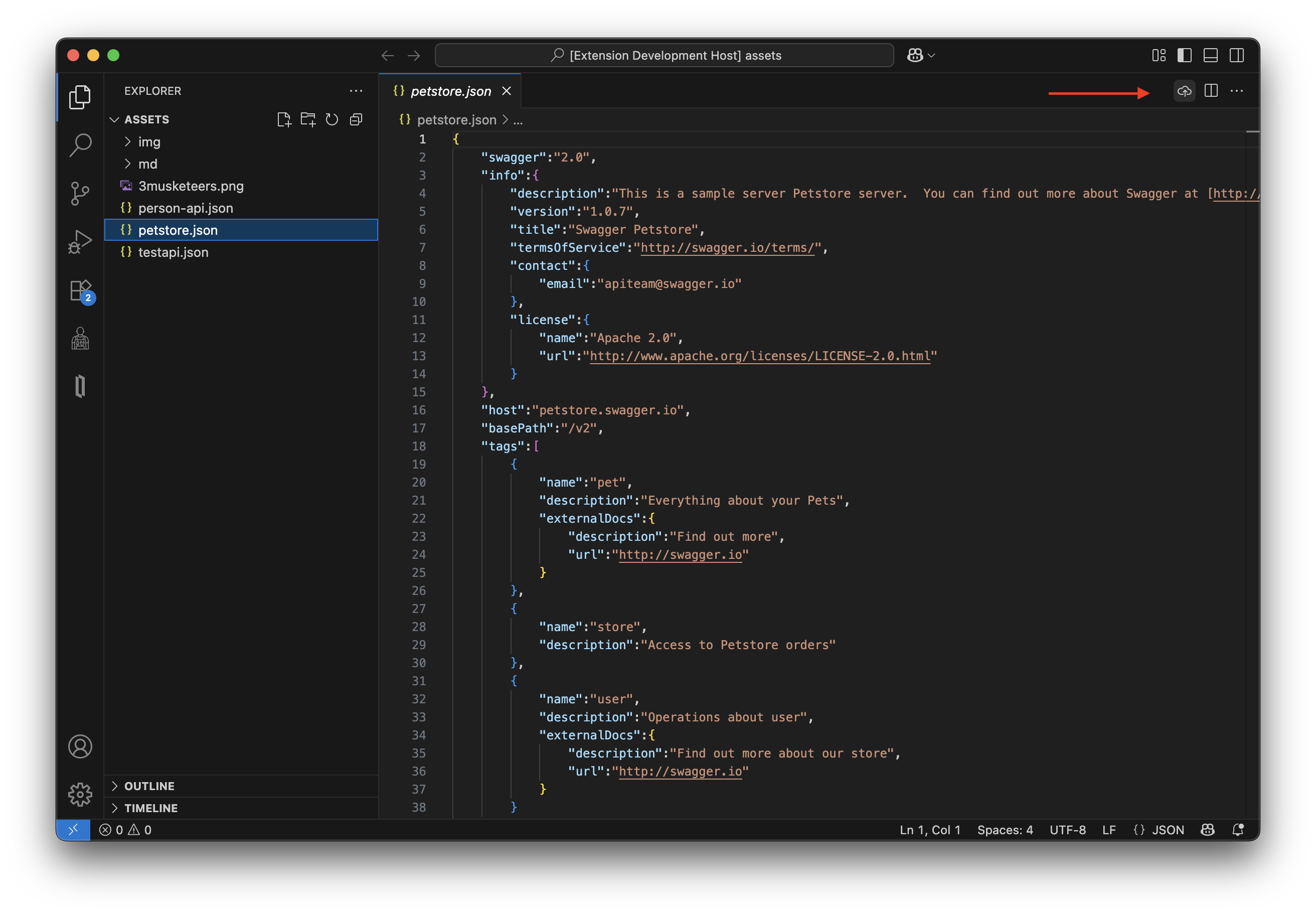
The easiest way to use this tool is via the official VSCode Extension. It detects if you are editing an OpenAPI file and allows you to generate the IRIS test client with a single click.
Installing the Extension
You can install the IRIS OAS Upload & Gen extension directly from the Visual Studio Code Marketplace.
Extension Configuration
After installing, go to Settings > Extensions > IRIS OAS Test Generator and configure the connection to your IRIS instance:
- Url: The full endpoint of the REST service (e.g.,
http://localhost:52773/iris-oas-test-gen/api/generate-upload). - Auth: Username and Password for IRIS (default:
_SYSTEM/SYS). - Remote Temp Dir: A temporary folder inside the IRIS server/container to receive the JSON file (default:
/tmp). - Remote Output Dir: The folder inside the IRIS server/container where the code will be generated (default:
/tmp/output).
How to Use
- Make sure your IRIS Container/Instance is running (see Prerequisites below).
- Open an OpenAPI/Swagger JSON file in VSCode.
- Look for the Cloud Upload icon
$(cloud-upload)in the editor title bar (top right). - Click the button!
- The extension will upload the file, generate the classes in IRIS, and notify you of the result.
🛠️ Backend Prerequisites & Setup
Before using the extension, you need the IRIS backend running with the generator code.
Make sure you have git and Docker desktop installed.
📖 Basic Usage
Clone/git pull the repo into any local directory
git clone https://github.com/musketeers-br/iris-oas-test-gen.git
cd iris-oas-test-gen
chmod -R o+w tests # allow container processes to write in the tests directory
Build and run InterSystems IRIS in container:
Note: Users running containers on a Linux CLI, should use “docker compose” instead of “docker-compose”
See Install the Compose plugin
docker-compose up -d
With the container built and running, let’s access the IRIS terminal
docker exec -it iris-oas-test-gen-iris-1 /bin/bash
iris session iris -U IRISAPP
💻 Manual Usage (Terminal)
If you prefer not to use the VSCode extension, you can generate tests manually via the IRIS Terminal.
Now, we can generate the tests classes. For this example, this toy REST API specification will be used.
Set openapiFile = "/home/irisowner/dev/assets/person-api.json"
Set outputDir = "/tmp/output"
Write ##class(dc.musketeers.irisOasTestGen.Main).Run(openapiFile, outputDir)
Halt
By default the output files are stored in /tmp/output/src. Let’s copy them to the mounted volume and allow edition.
cp -r /tmp/output/src /home/irisowner/dev/tests
chmod -R o+w /home/irisowner/dev/tests/src # allow edition in the host machine
exit
Now open VSCode on the project dir.
code .
You can check the generated files inside dir tests.
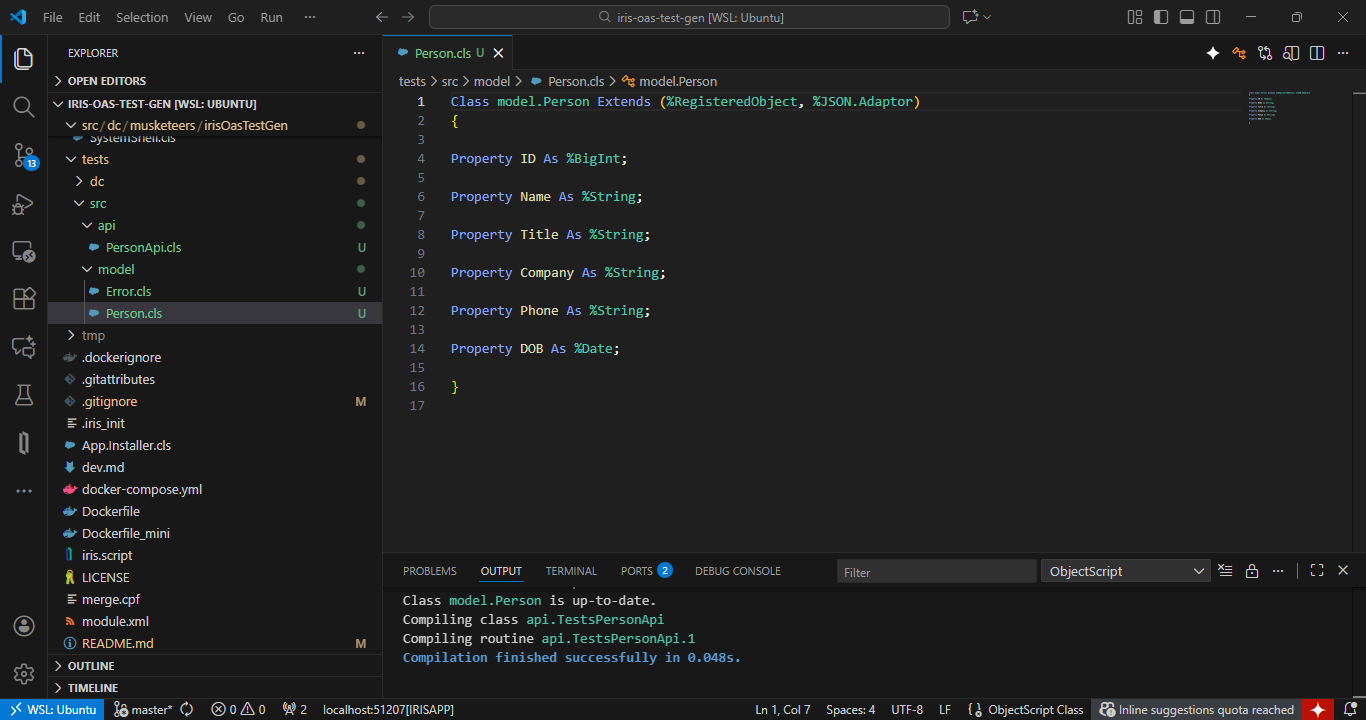
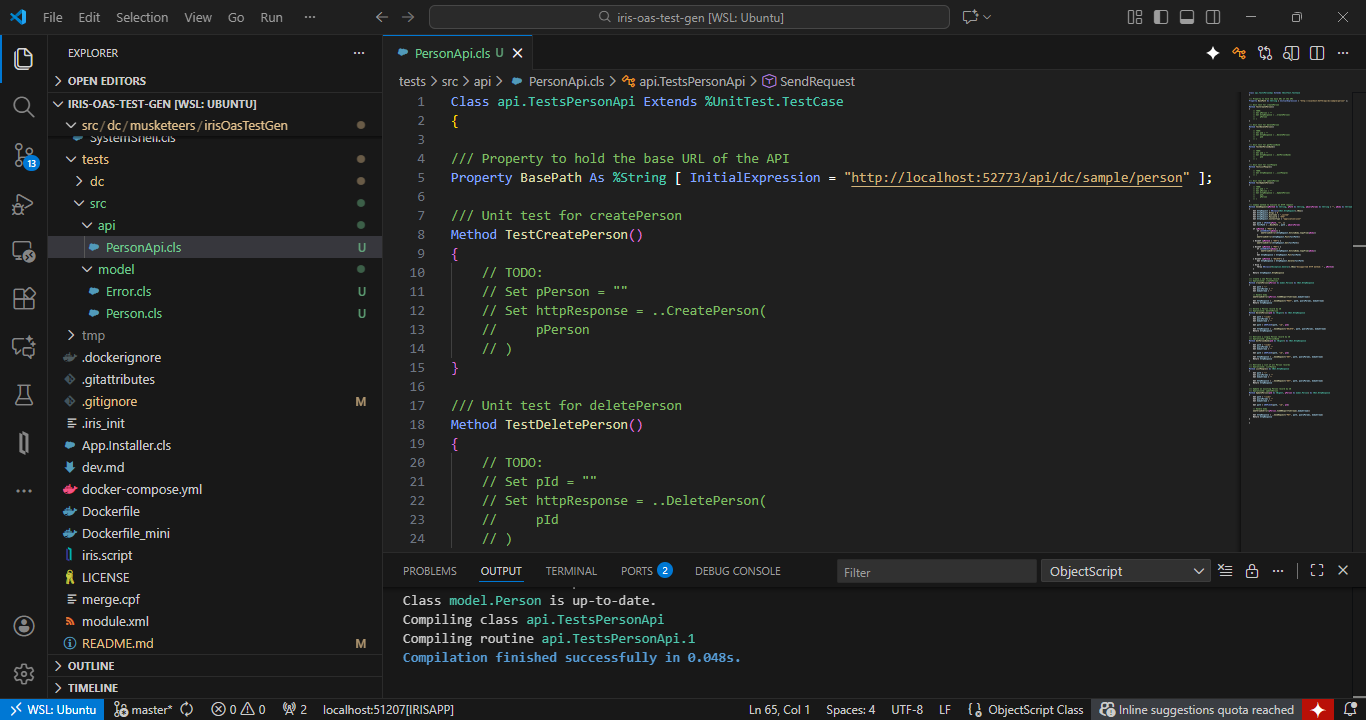
Now you have templates with client calls for each operation in the OpenAPI specification and the corresponding test method for your implementation. For instance:
/// Create a new Person record /// OperationId: createPerson Method CreatePerson( pPerson As model.Person) As %Net.HttpResponse { Set path = "/" Set queryParams = "" Set bodyStream = "" Set headers = ##class(%ListOfDataTypes).%New() Set formParams = ##class(%ListOfDataTypes).%New() Set multipartParams = ##class(%ListOfDataTypes).%New()// Handle body $$$ThrowOnError(pPerson.%JSONExportToStream(.bodyStream)) Set request = ##class(utils.HttpUtils).%New() Set request.BasePath = ..#BasePath Set request.HttpRequest.Https = 1 Set httpResponse = request.SendRequest("POST", path, queryParams, bodyStream, headers, formParams, multipartParams) Return httpResponse}
/// Unit test for createPerson Method TestCreatePerson() { // TODO: // Set pPerson = "" // Set httpResponse = ..CreatePerson( // pPerson // ) }
🧭 Detailed walkthrough
Generating, implementing and running tests for a simple OpenAPI 2.0 specification
📦 Compiling and Packaging the Extension (For Developers)
If you want to modify the extension or build it from source, follow these steps:
-
Navigate to the extension folder:
cd vscode-extension -
Install dependencies:
npm install -
Install
vsceglobally:
vsceis the official tool for packaging VSCode extensions.npm install -g @vscode/vsce -
Compile the extension:
This will transpile the TypeScript code into JavaScript.npm run compile -
Package the extension:
This command creates the.vsixfile.vsce package
After running the package command, a file named iris-oas-test-generator-0.0.1.vsix will be created. You can install this file directly into VSCode via the Extensions view (… > “Install from VSIX…”).
🎖️ Credits
Iris OAS Test Gen is developed with ❤️ by the Musketeers Team

Last checked by moderator
20 Jan, 2026, Works
Made with
Install
 zpm install iris-oas-test-gen
  download archive
 Version
0.0.2710 Dec, 2025
Ideas to the app
Category
SolutionsWorks with
InterSystems IRISInterSystems IRIS for HealthFirst published
29 Nov, 2025Last edited
10 Dec, 2025