
© 2026 InterSystems Corporation. All rights reserved.Privacy & TermsGuaranteeSection 508Contest TermsCode of ConductModeration PolicyCookies Settings

Ikon-Docker 

Community Project
This project is maintained by its author and is not officially supported by InterSystems. For technical support, please contact the project developer.
This project is maintained by its author and is not officially supported by InterSystems. For technical support, please contact the project developer.
0
0 reviews
0
Awards
41
Views
0
IPM installs
 0
0 Add to bundle
Details
Releases (1)
Reviews
Issues
Runs package Icon in Docker
What's new in this version
Initial Release
Ikon-in-Docker
The PullRequest for the original package was never activated
Now it’s available here
Prerequisites
Make sure you have git and Docker desktop installed.
Installation
Clone/git pull the repo into any local directory
$ git clone https://github.com/rcemper/Ikon_Docker.git
To build and start the container run:
$ docker compose up -d && docker compose logs -f
To open IRIS Terminal do:
$ docker-compose exec iris iris session iris
USER>
or using iterm
http://localhost:42773/iterm/
To access IRIS System Management Portal
http://localhost:42773/csp/sys/UtilHome.csp
How to use it
This is the dockerized package Ikon
All user documentation is found there in the original repo
See also the Article on InterSystems Developer Community
Quick demo
From terminal prompt run
USER>set dir="/home/irisowner/dev/"
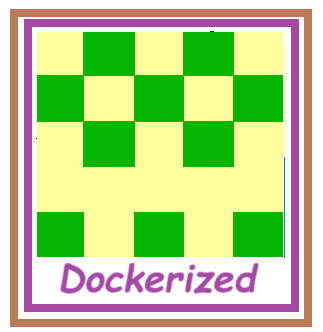
USER>Do ##class(Ikon.Identicon).%New("docker",dir,250,255,255,155)
File '/home/irisowner/dev/docker' successfully generated!
USER>
An icon docker.jpg is written to your install directory
Version
1.0.005 Sep, 2026
Category
Technology ExampleWorks with
InterSystems IRISInterSystems IRIS for HealthFirst published
05 Sep, 2026Last edited
05 Sep, 2026